
Goal
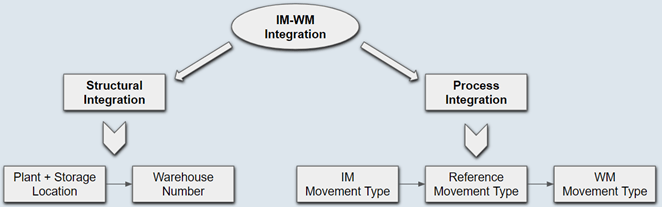
Explains the integration between IM and WM from structure and process view point.
Also covers control functions of WM movement type such as interim storage type determination and automatic TO creation.
Demonstration videos explaining the integration between IM&WM configuration, interim storage type determination and auto TO creation.
Overview
It is always mandatory to specify the IM movement type and storage location (for a quantity managed material) to post a material document in inventory management. Considering these two key elements, WM is integrated with IM at two levels. One is the structural integration via organizational elements (via plant + storage location) and the other is the process integration (via MM and IM movement types).

Structural Integration with Inventory Management
To connect the upstream ERP processes such as procurement, sales and production, Warehouse Management must be connected to Inventory Management.
This connection is established in the customizing by assigning warehouse number to a combination of plant and storage location for which warehouse management is required. This is like switching on warehouse management processes for storage location.
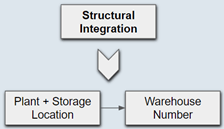
In a non-warehouse managed scenario (i.e. MM-IM only), storage location is the lowest level organizational element for the quantity management which represents the physical storage area of the goods.
But in a warehouse managed scenario storage location is still required but it becomes a virtual entity. Warehouse number and its substructure (storage types, storage sections, picking areas, and storage bins) are used to map the physical structure of the warehouse.
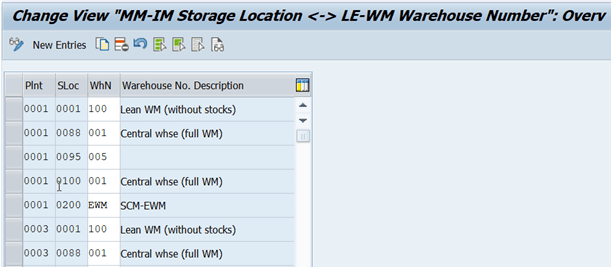
Possible combinations
A single storage location is sufficient to map the entire warehouse. But from an Inventory Management view point there may be a need for having several storage locations. For example, a separate storage location might be used to exclude certain stocks from the availability checks or a separate storage location might be used to represent different department stocks etc. System is flexible to connect warehouse number with storage locations in various combinations.
System does not allow to connect the same storage location with two different warehouse.

Process Integration between IM and WM
Like in Inventory Management, Warehouse Management also has movement types which control the process flow in the warehouse.
In addition to the link between organizational elements such as storage location and warehouse number, there is also another link between IM movement type and WM movement to integrate the IM processes (goods receipts, issue, and transfer postings etc.) with WM processes (putaway, picking posting and changes etc.)
Every IM movement type is first assigned with a reference movement type which is then assigned to a WM movement type.
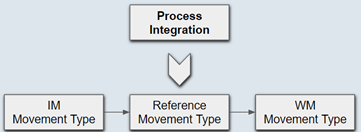
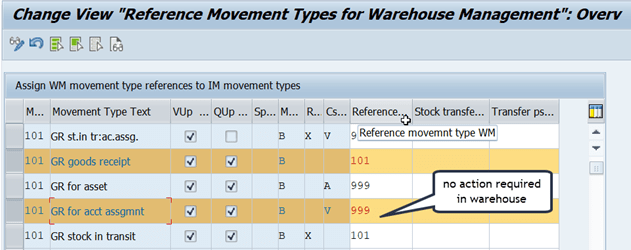
If Inventory Management movement type does not require a connection to Warehouse Management then it must be assigned to a reference movement type 999.This means that posting activities with this movement type do not have any consequences in Warehouse Management, even if the affected storage location is subject to Warehouse Management. An example is a goods receipt posting for account assignment to consumption (Inventory Management movement type 101, consumption indicator V).
It is important to remember that the relationship between IM and WM movement types is not always a one-to-one. Several movement types in Inventory Management can be connected to a single Warehouse Management movement type and one Inventory Management movement type can be connected to several movement types in Warehouse Management.
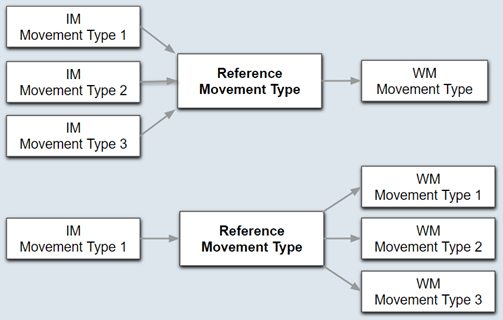
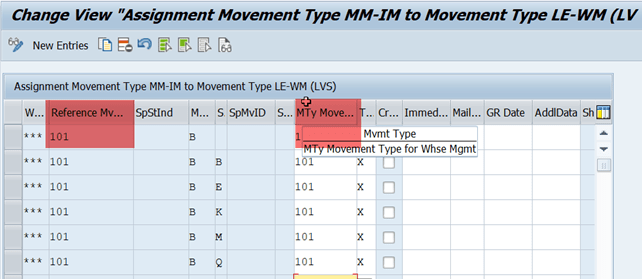
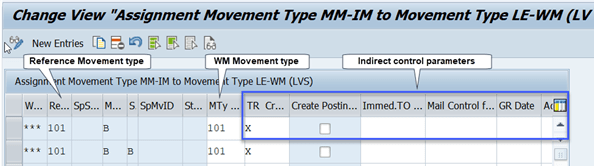
The Inventory Management movement type is connected to the reference movement type in one table, and the reference movement type is linked to the Warehouse Management movement type in a different table. The second table is important because in addition to the movement type assignment, it can also control whether transfer requirement or posting change is required, if the transfer order creation can be automated and control copying of the GR Date from material document.
Control functions of WM movement type on warehouse processes
WM movement type plays a very key role in overall WM processes. It controls warehouse processes in two ways.

Direct Controls
Controls based on the parameters defined in the movement type definition.
- Determination of Interim storage type & bin.
- Determination of the preceding document such as purchase order or sales order based on the ‘Requirement Type’.
- Determination of WM shipment type such as stock removal, stock placement or internal process.
- Indicator for fine-tuned automatic TO creation via background batch job.
- Control for confirming TO in the background immediately or for proposing confirmation screen during the TO creation.
- Control for TO printing

Indirect Controls
Controls based on the parameters assigned in the WM movement type determination table.
- To control whether the transfer requirement (TR) or posting change notification (PCN) is to be created.
- To control whether the transfer order (TO) to be created immediately or via background batch job or manually.
- To control which date of the material document (posting date or document date) to be copied as GR date in WM quant.
 saps4h.com